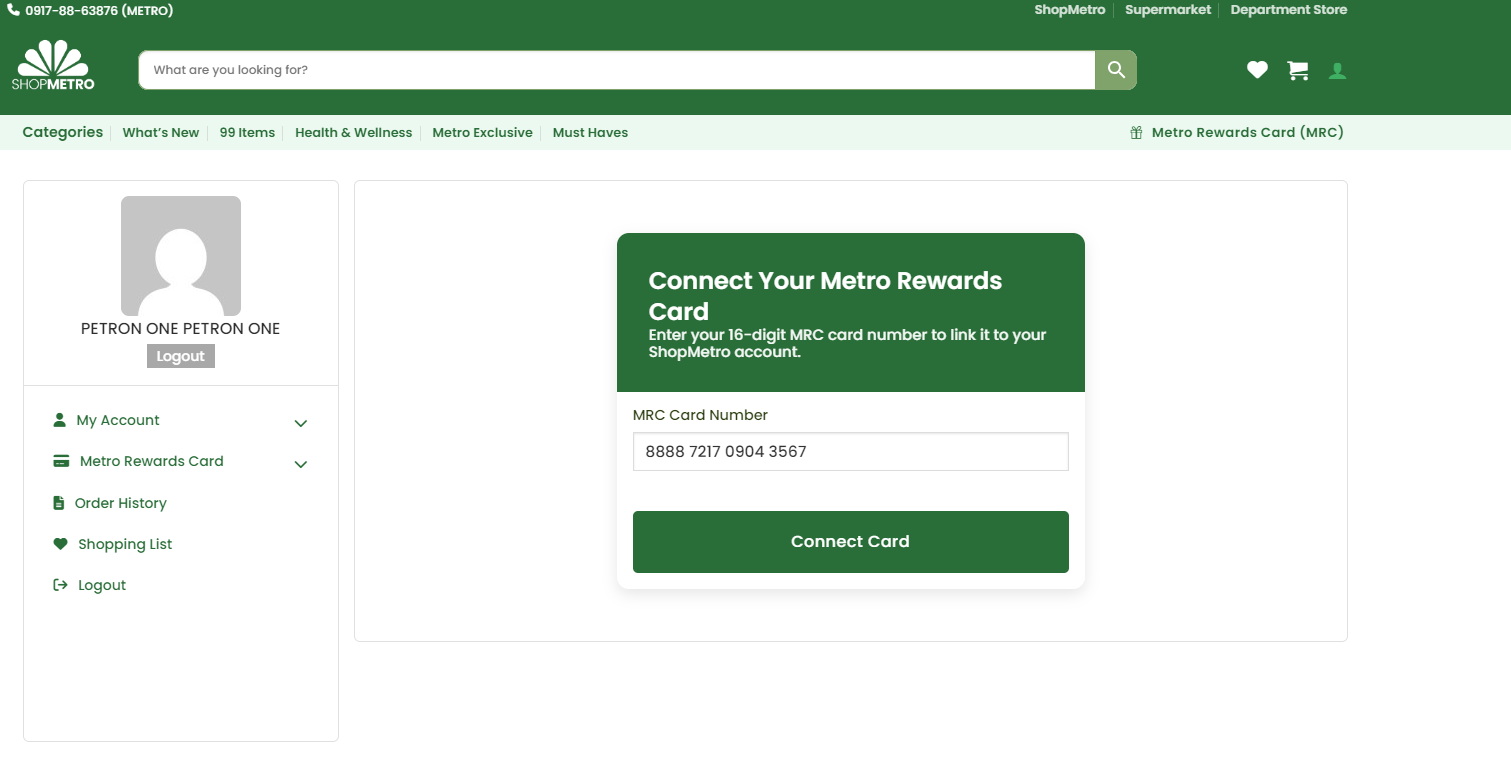
After logging into your ShopMetro account, click Metro Rewards Card from the left sidebar. If no card is linked yet, you will see the "Connect Your Metro Rewards Card" form.
- Log into your account at shopmetro.ph
- Click Metro Rewards Card in the left sidebar menu
- Enter your 16-digit card number in the MRC Card Number field
- Card number : 8888 xxxx xxxx 3567
- Click Connect Card to proceed
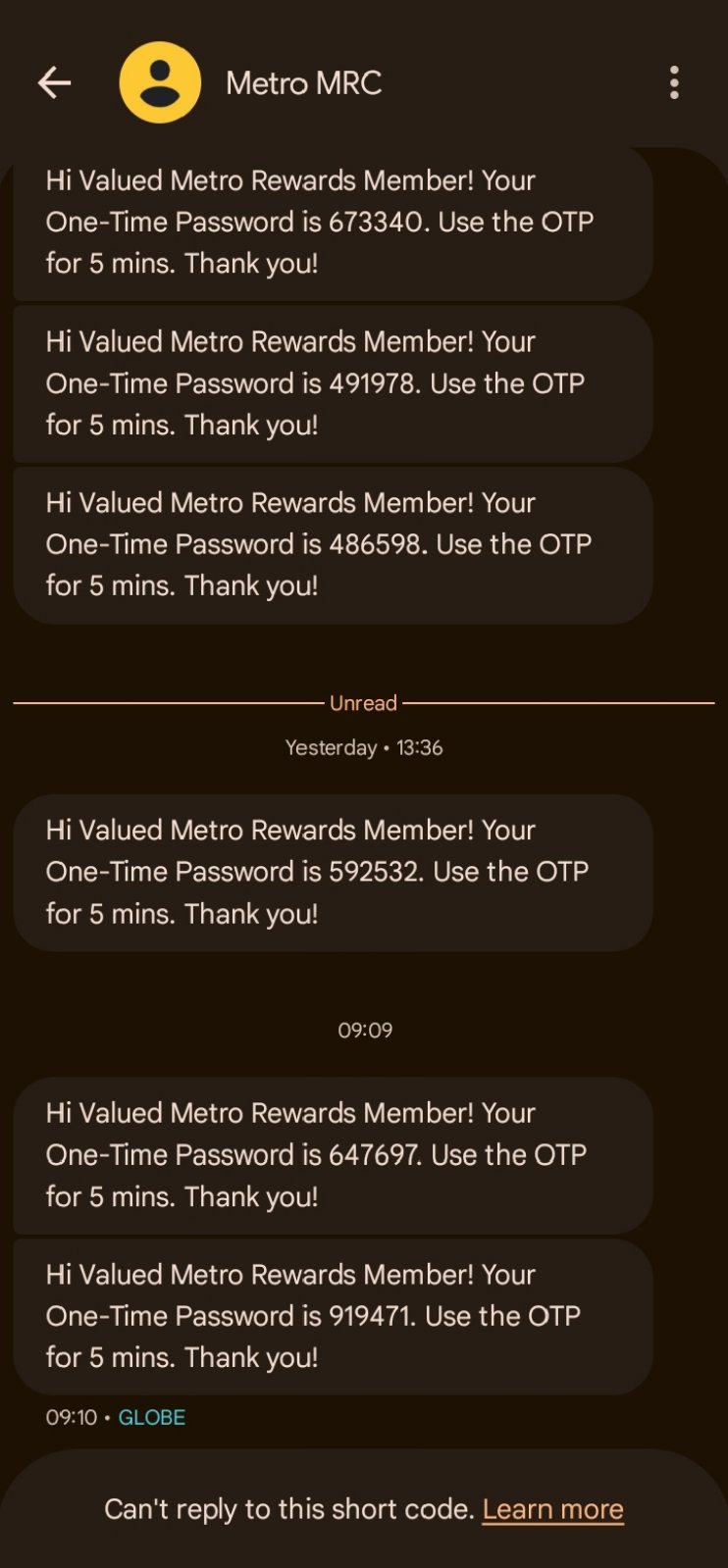
You will receive an SMS from Metro MRC on your registered mobile number. The message contains your One-Time Password needed to verify your card.
- Open your SMS app and look for Metro MRC
- Find the most recent unread OTP message
- Message format: "Your One-Time Password is XXXXXX. Use for 5 mins."
- Always use the latest code — older codes are already expired
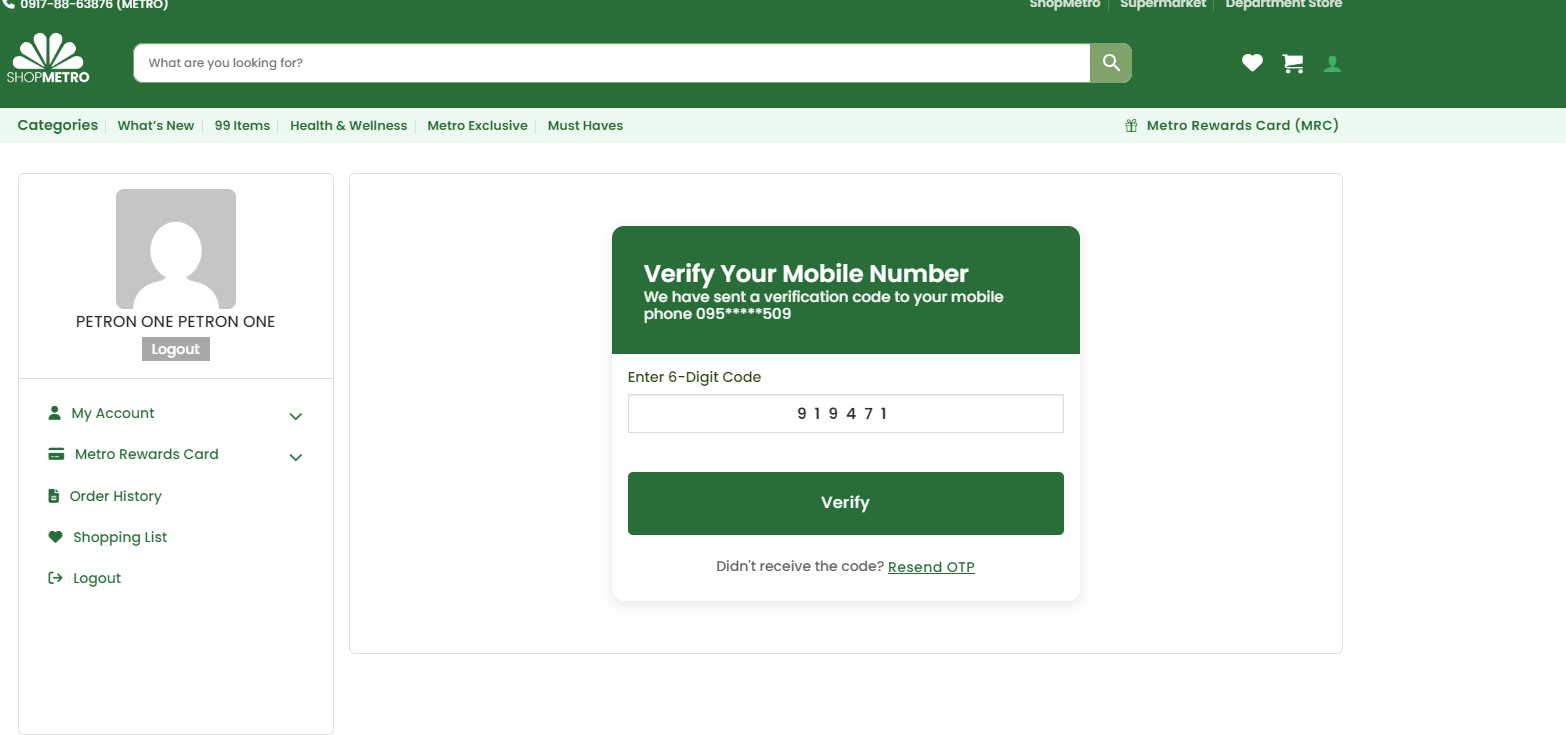
After entering your card number and clicking Connect Card, ShopMetro sends a 6-digit OTP to your MRC-registered mobile number (095*****509). Enter it here to verify ownership of the card.
- Check your SMS for a message from Metro MRC
- Enter the 6-digit code in the Enter 6-Digit Code field
- The code is valid for 5 minutes only
- Click Verify to complete the process
- If expired, click Resend OTP for a new code
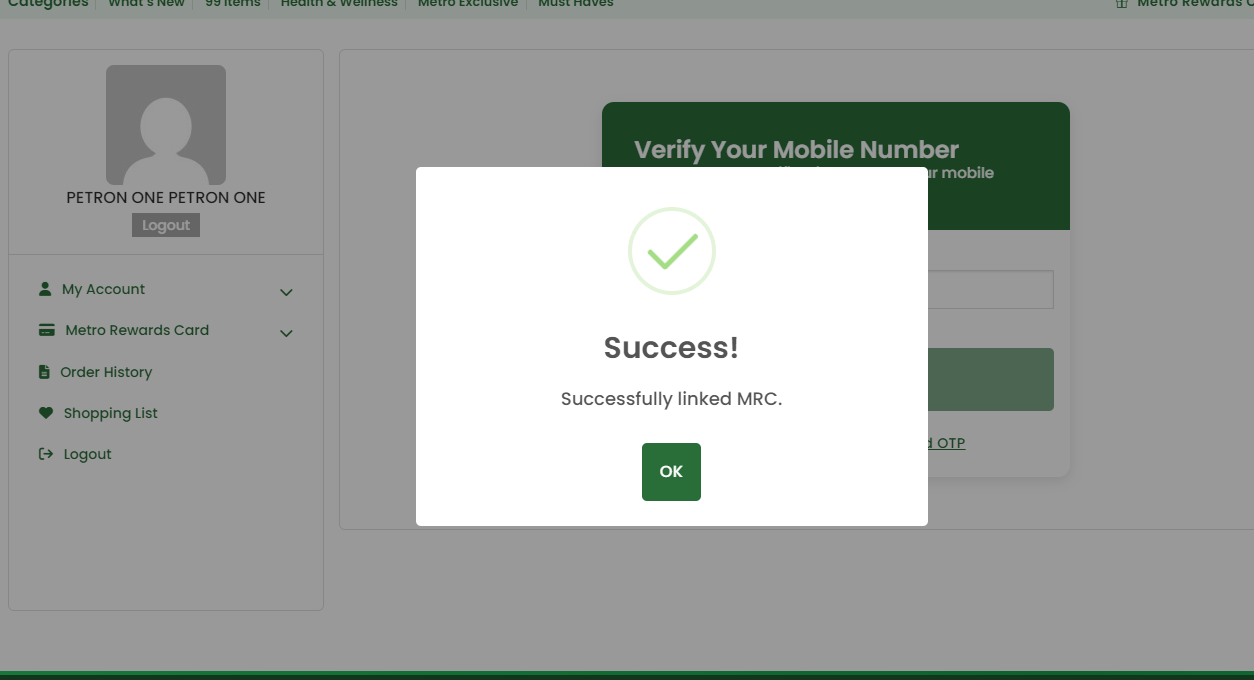
After entering the correct OTP, ShopMetro displays a "Success! Successfully linked MRC." popup. Click OK to dismiss it and return to your MRC card dashboard.
- Green checkmark confirms the MRC linking is complete
- Message reads: "Successfully linked MRC."
- Click OK to close the popup
- You will be taken back to the MRC Card dashboard
- Your card and points balance are now fully visible
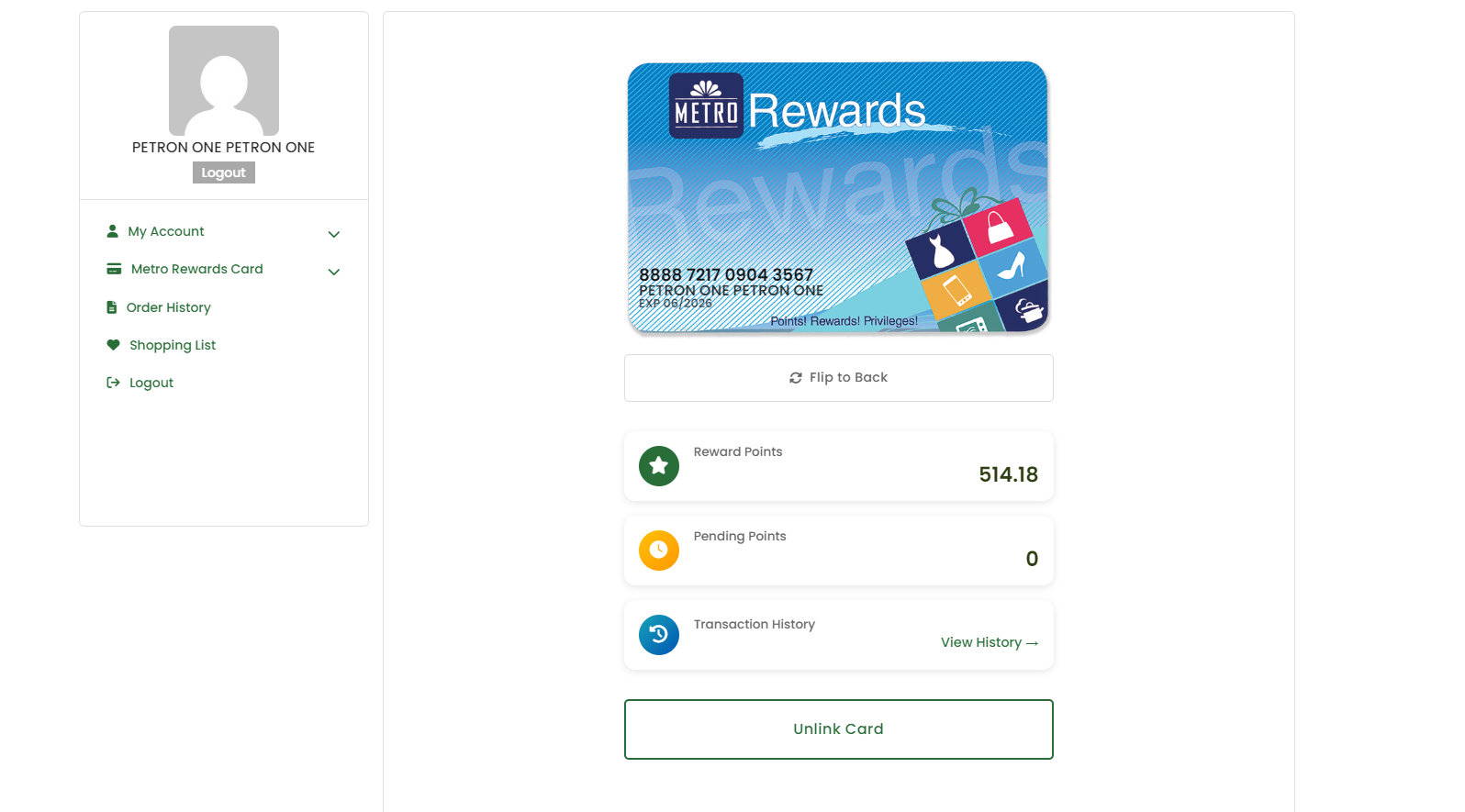
The complete MRC Dashboard lets you manage everything about your Metro Rewards Card — balance, history, scanning, and card management — all from your ShopMetro account.
- Card front view: card number, name, expiry
- Flip to Back: QR code and barcode for in-store use
- Reward Points: 514.18 (live balance)
- Pending Points: points awaiting confirmation
- Transaction History: click View History to see recent activity
- Unlink Card: remove the linked card if needed